> ## Documentation Index
> Fetch the complete documentation index at: https://mage-staging.mintlify.site/llms.txt
> Use this file to discover all available pages before exploring further.
# Dynamic blocks
> Create a pipeline with dynamic blocks.
## Build pipeline
1. Add a new data loader block.
2. Paste in the following code:
```python theme={null}
from typing import Dict, List
@data_loader
def load_data(*args, **kwargs) -> List[List[Dict]]:
users = []
metadata = []
for i in range(3):
i += 1
users.append(dict(id=i, name=f'user_{i}'))
metadata.append(dict(block_uuid=f'for_user_{i}'))
return [
users,
metadata,
]
```
3. Run the data loader block and the output will be:
```python theme={null}
[{'id': 1, 'name': 'user_1'},
{'id': 2, 'name': 'user_2'},
{'id': 3, 'name': 'user_3'}]
```
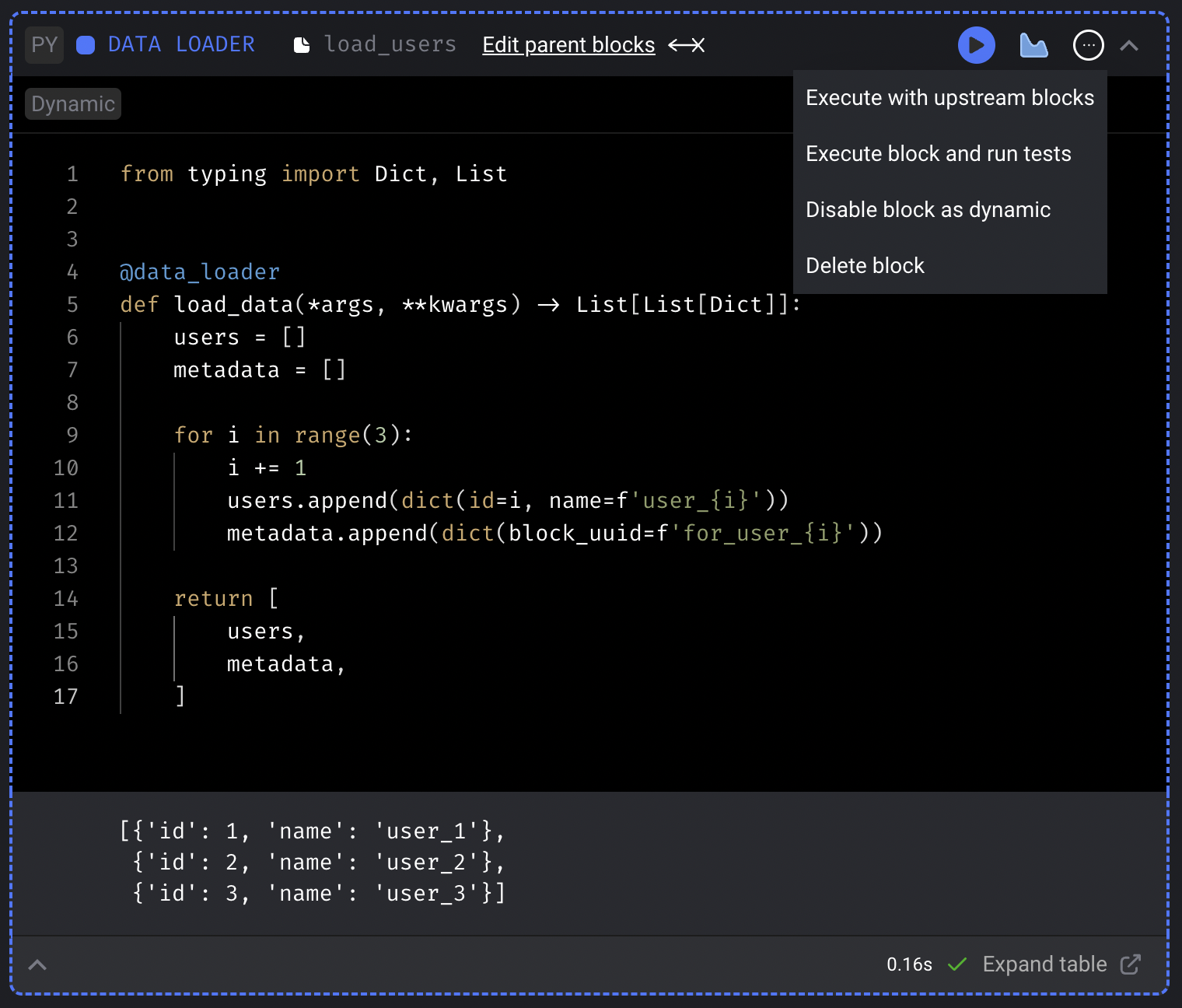
4. In the top right corner of the block, click on the triple dot button (`...`) and click the
dropdown selection labeled `Set block as dynamic`.
 1. Add a new transformer block.
2. Paste in the following code:
```python theme={null}
from typing import Dict, List
@transformer
def transform(data: Dict, *args, **kwargs) -> List[Dict]:
data['id'] = int(data['id']) * 100
return [data]
```
3. Run the transformer block and the output will be:
```python theme={null}
{'id': 100, 'name': 'user_1'}
```
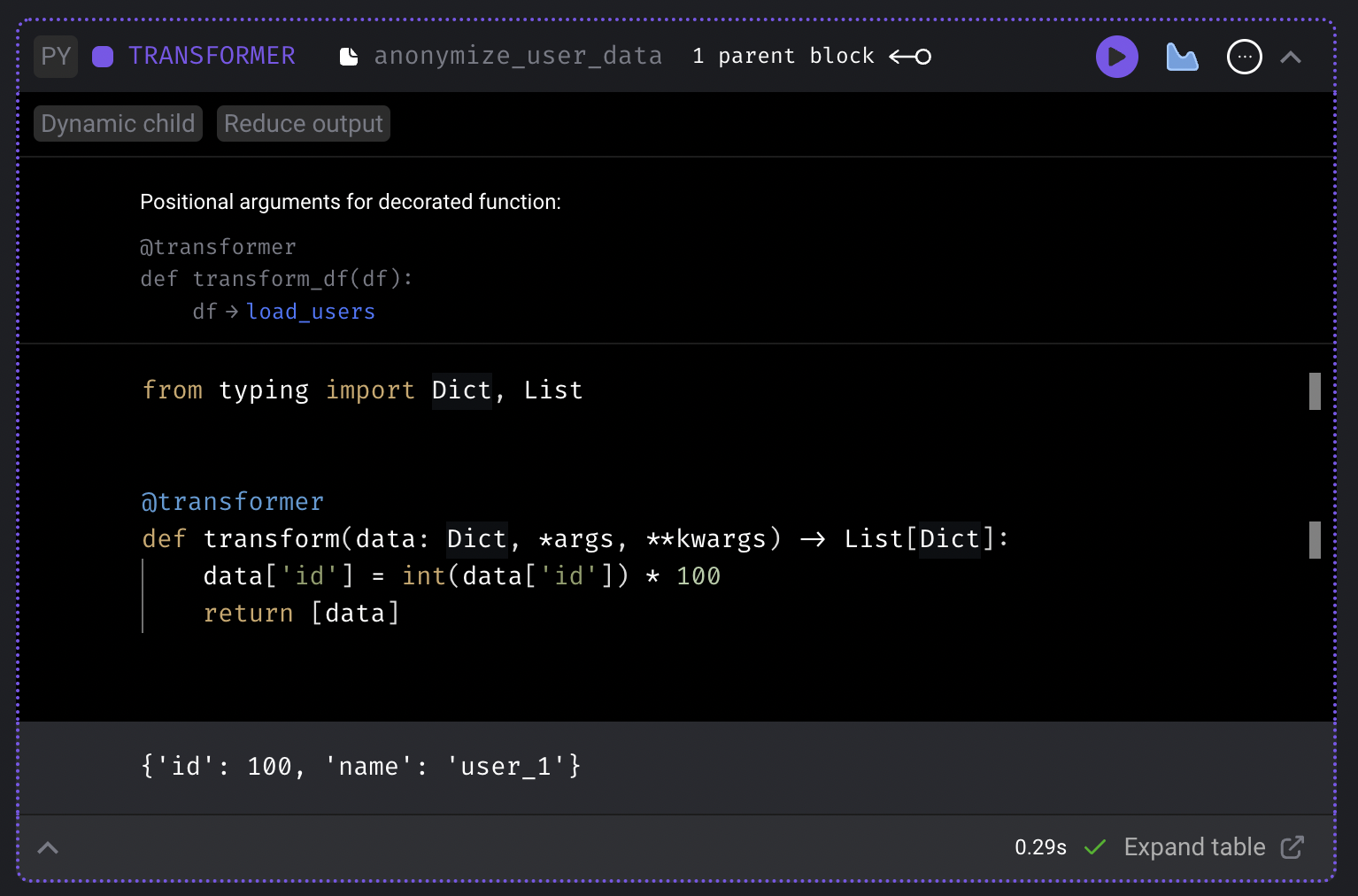
1. Add a new transformer block.
2. Paste in the following code:
```python theme={null}
from typing import Dict, List
@transformer
def transform(data: Dict, *args, **kwargs) -> List[Dict]:
data['id'] = int(data['id']) * 100
return [data]
```
3. Run the transformer block and the output will be:
```python theme={null}
{'id': 100, 'name': 'user_1'}
```
 1. Add another transformer block.
2. Paste in the following code:
```python theme={null}
from typing import Dict, List
import uuid
@transformer
def transform(data: Dict, *args, **kwargs) -> List[Dict]:
data['token'] = uuid.uuid4().hex
return [data]
```
3. Change the 2nd transformer block’s upstream parent block to only be the data loader.
This will require you to remove the existing upstream parent block which is currently pointing to
the 1st transformer block.
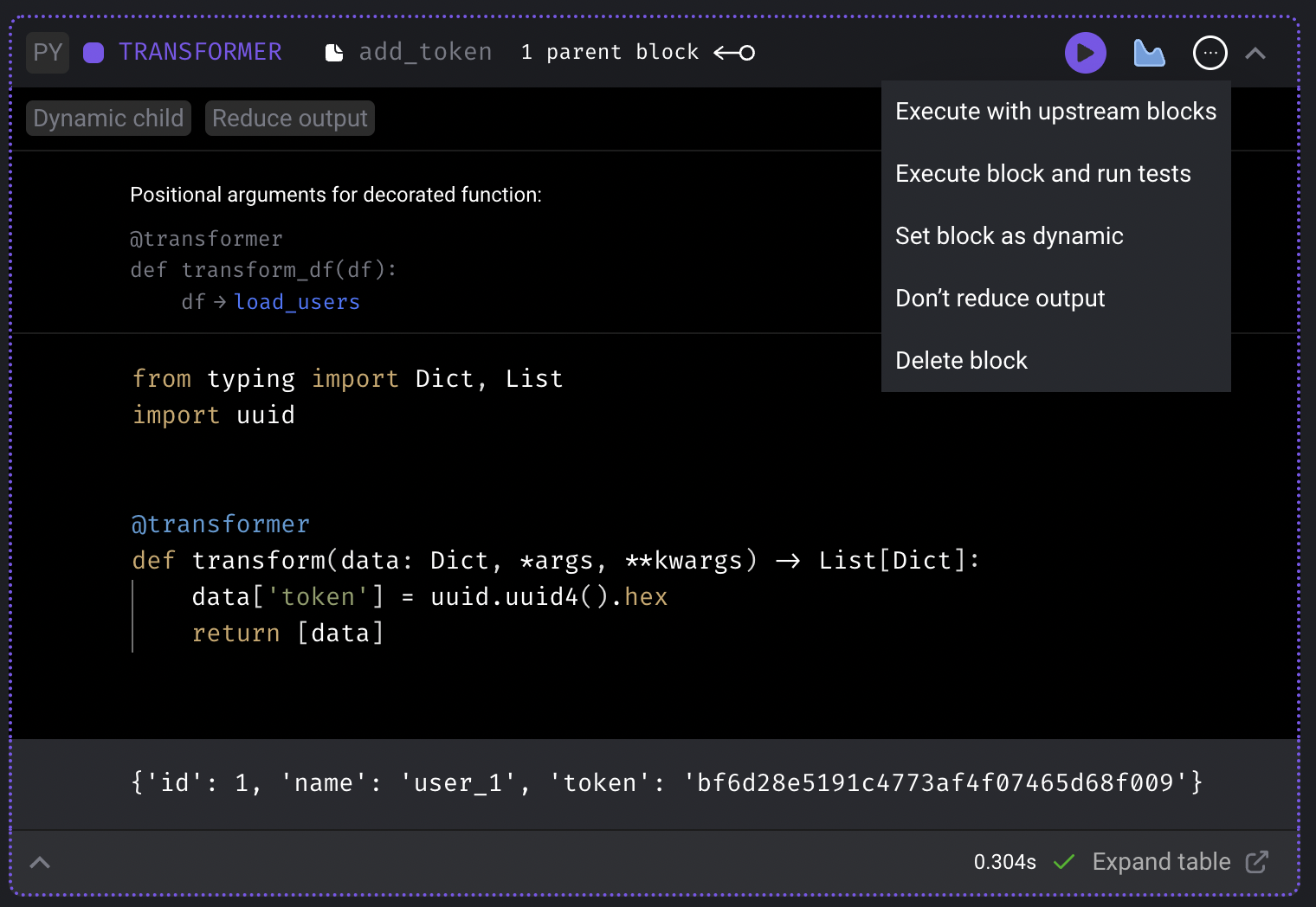
4. In the top right corner of this 2nd transformer block,
click on the triple dot button (`...`) and click the
dropdown selection labeled `Reduce output`.
5. Run the transformer block and the output should look something like this:
```python theme={null}
{'id': 1, 'name': 'user_1', 'token': '0ea0f28c2de647d997e5c341a857c92f'}
```
1. Add another transformer block.
2. Paste in the following code:
```python theme={null}
from typing import Dict, List
import uuid
@transformer
def transform(data: Dict, *args, **kwargs) -> List[Dict]:
data['token'] = uuid.uuid4().hex
return [data]
```
3. Change the 2nd transformer block’s upstream parent block to only be the data loader.
This will require you to remove the existing upstream parent block which is currently pointing to
the 1st transformer block.
4. In the top right corner of this 2nd transformer block,
click on the triple dot button (`...`) and click the
dropdown selection labeled `Reduce output`.
5. Run the transformer block and the output should look something like this:
```python theme={null}
{'id': 1, 'name': 'user_1', 'token': '0ea0f28c2de647d997e5c341a857c92f'}
```
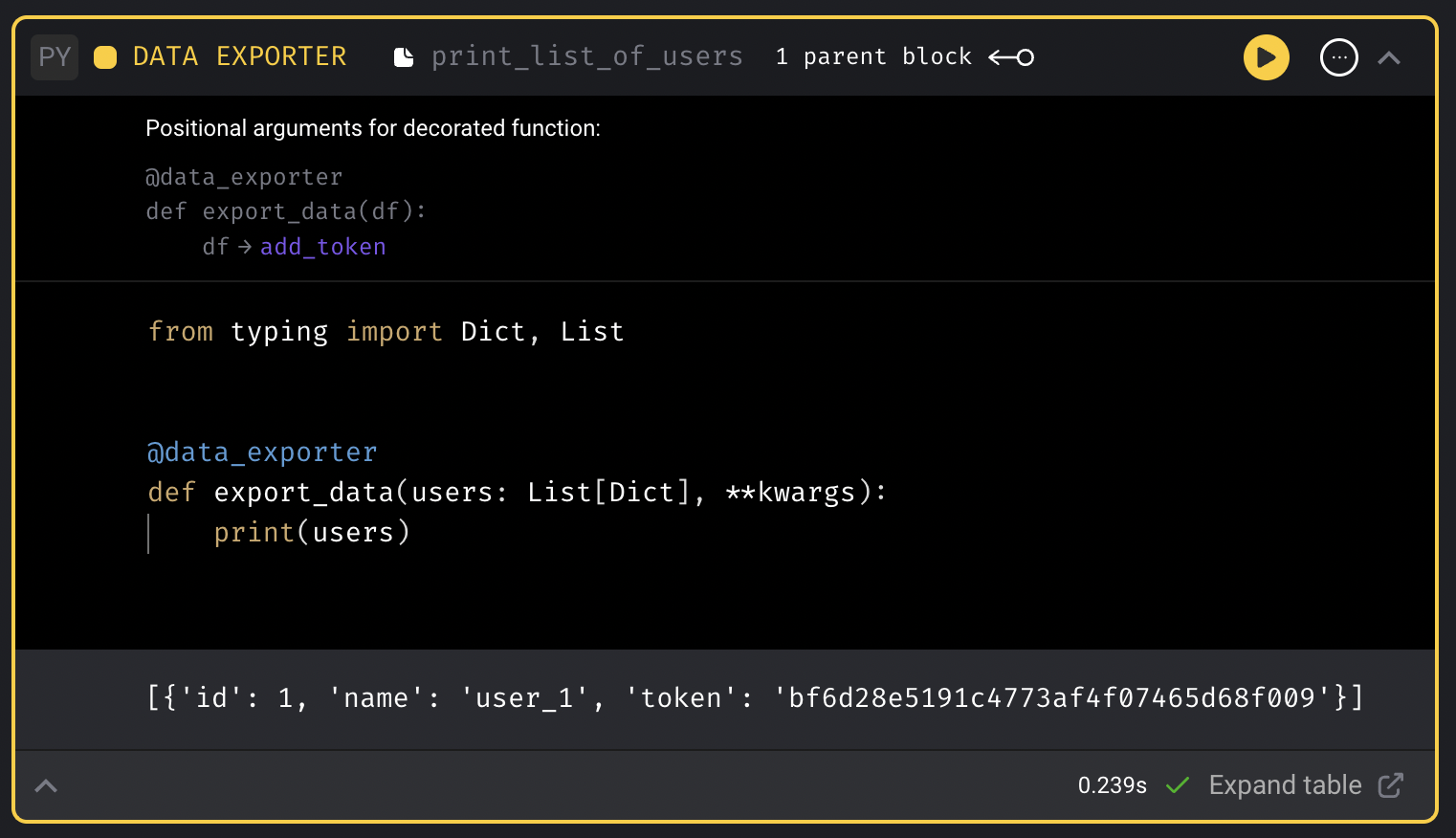
 1. Add a new data exporter block.
2. Paste in the following code:
```python theme={null}
from typing import Dict, List
@data_exporter
def export_data(users: List[Dict], **kwargs):
print(users)
```
3. Run the data exporter block and the output should look something like this:
```python theme={null}
[{'id': 1, 'name': 'user_1', 'token': 'bc35e36ecfc24d77a2d910f4b1d6611d'}]
```
When executing the entire pipeline, this output will contain 3 items in this list.
1. Add a new data exporter block.
2. Paste in the following code:
```python theme={null}
from typing import Dict, List
@data_exporter
def export_data(users: List[Dict], **kwargs):
print(users)
```
3. Run the data exporter block and the output should look something like this:
```python theme={null}
[{'id': 1, 'name': 'user_1', 'token': 'bc35e36ecfc24d77a2d910f4b1d6611d'}]
```
When executing the entire pipeline, this output will contain 3 items in this list.
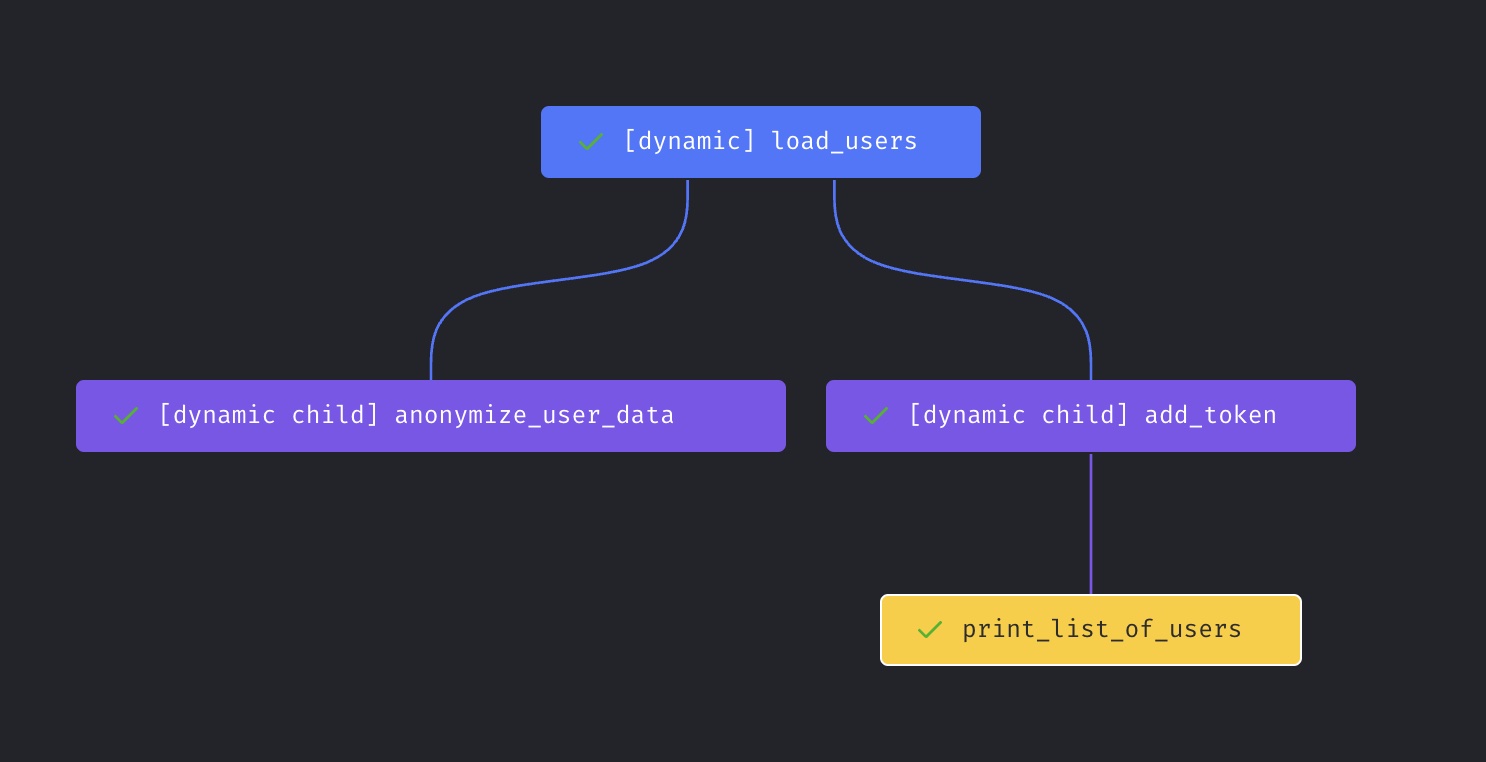
 The pipeline’s final dependency graph should look like this:
 ## Run pipeline
1. Click the pipeline name in the top left corner (e.g the breadcrumbs).
This will take you to the pipeline’s trigger page.
2. Click the button `[Run @once]` in the page's subheader,
or create a trigger to run once.
3. Click the name of the newly created trigger.
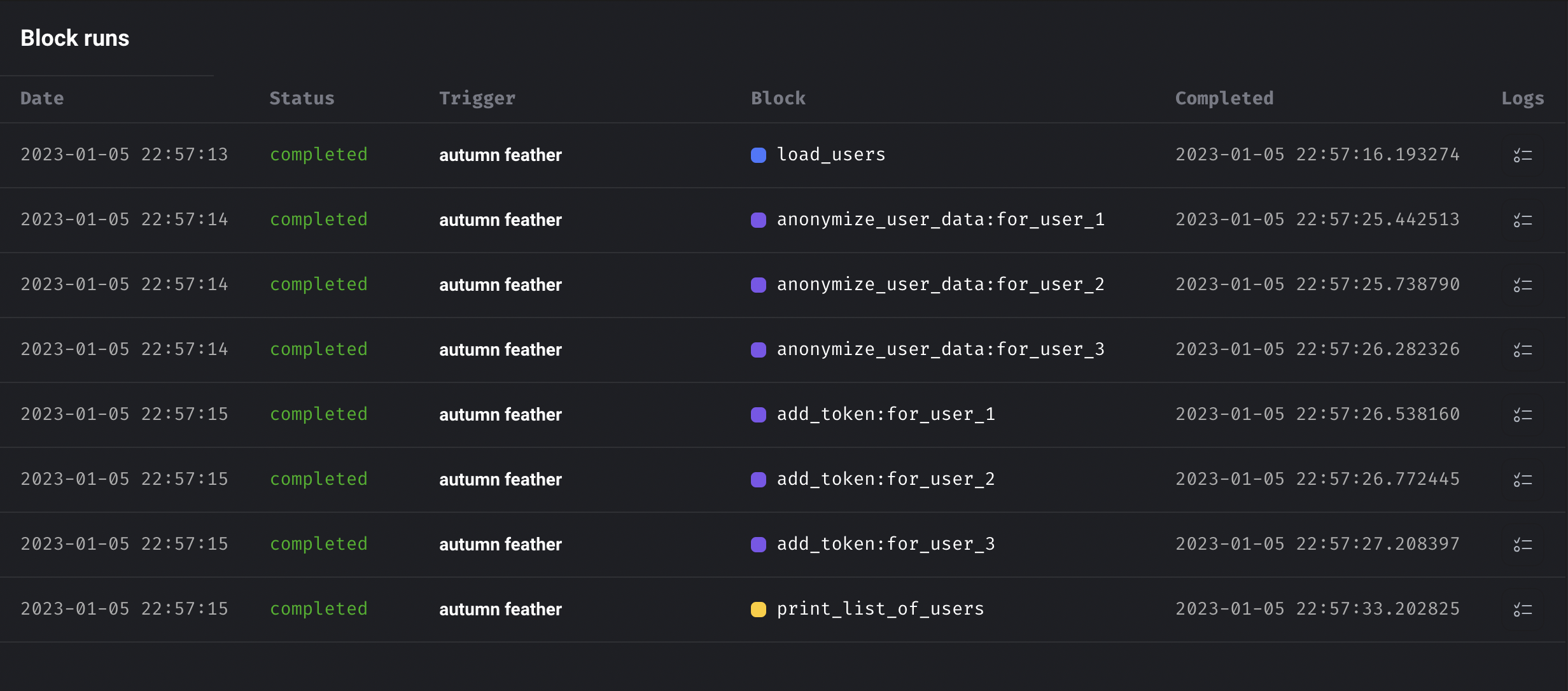
4. The trigger will create 1 pipeline run with 9 block runs.
The block runs should look like this:
## Run pipeline
1. Click the pipeline name in the top left corner (e.g the breadcrumbs).
This will take you to the pipeline’s trigger page.
2. Click the button `[Run @once]` in the page's subheader,
or create a trigger to run once.
3. Click the name of the newly created trigger.
4. The trigger will create 1 pipeline run with 9 block runs.
The block runs should look like this: