> ## Documentation Index
> Fetch the complete documentation index at: https://mage-staging.mintlify.site/llms.txt
> Use this file to discover all available pages before exploring further.
# Workspace management (in Beta)
> Use Mage in multiple workspaces in the cloud
We recommend running your production environment in the cloud. Mage has a built in
workspace manager that can be enabled in production. This feature is similar to the
[multi-development environments](/production/developing-in-the-cloud/cloud-dev-environments/overview), but
there are settings that can be shared across the workspaces. For example, the project owner
can set workspace level permissions for users. The current additional features supported are:
* workspace level permissions
* workspace level git settings
still to come...
* common workspace metadata file
* customizable permissions and roles
## Setup
In order to start using workspace management, you will first need to create a "main project". The
main project is the parent project that will handle the management of all the workspaces. To create
a main project, you will need to set the `PROJECT_TYPE` environment variable.
If you want to use workspace level permissions, you will also need to enable user authentication
and [provide an external database](/production/configuring-production-settings/overview#databases)
(not the default SQLite DB) that will be shared among your workspaces. To enable user authentication,
you will need to set the `REQUIRE_USER_AUTHENTICATION` variable.
| Variable Name | Value |
| ------------------------------ | --------------------------- |
| `PROJECT_TYPE` | `main` |
| `CLUSTER_TYPE` | `k8s` |
| `REQUIRE_USER_AUTHENTICATION` | `1` |
| `MAGE_DATABASE_CONNECTION_URL` | `postgresql+psycopg2://...` |
Depending on your cloud environment, Mage may expect additional environment variables.
Mage currently natively supports creating workspaces in these cloud providers:
* [Kubernetes](/production/developing-in-the-cloud/workspaces/kubernetes)
still to come...
* Amazon ECS
* Google Cloud Run
If you run into issues deploying your infrastructure, feel free to reach out in our
[Slack](https://www.mage.ai/chat).
## User management
Only the global owner can manage users from the workspace management page.
If you enabled user authentication and connected an external database, you will be able to use
project level permissions for your workspaces. When a workspace is created, project level roles will
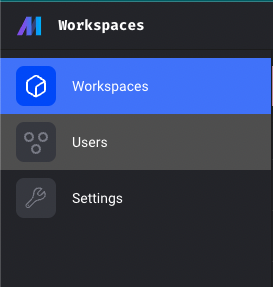
be automatically created for your workspaces as well. Click on the "Users" tab in the sidebar to view
and manage user roles.
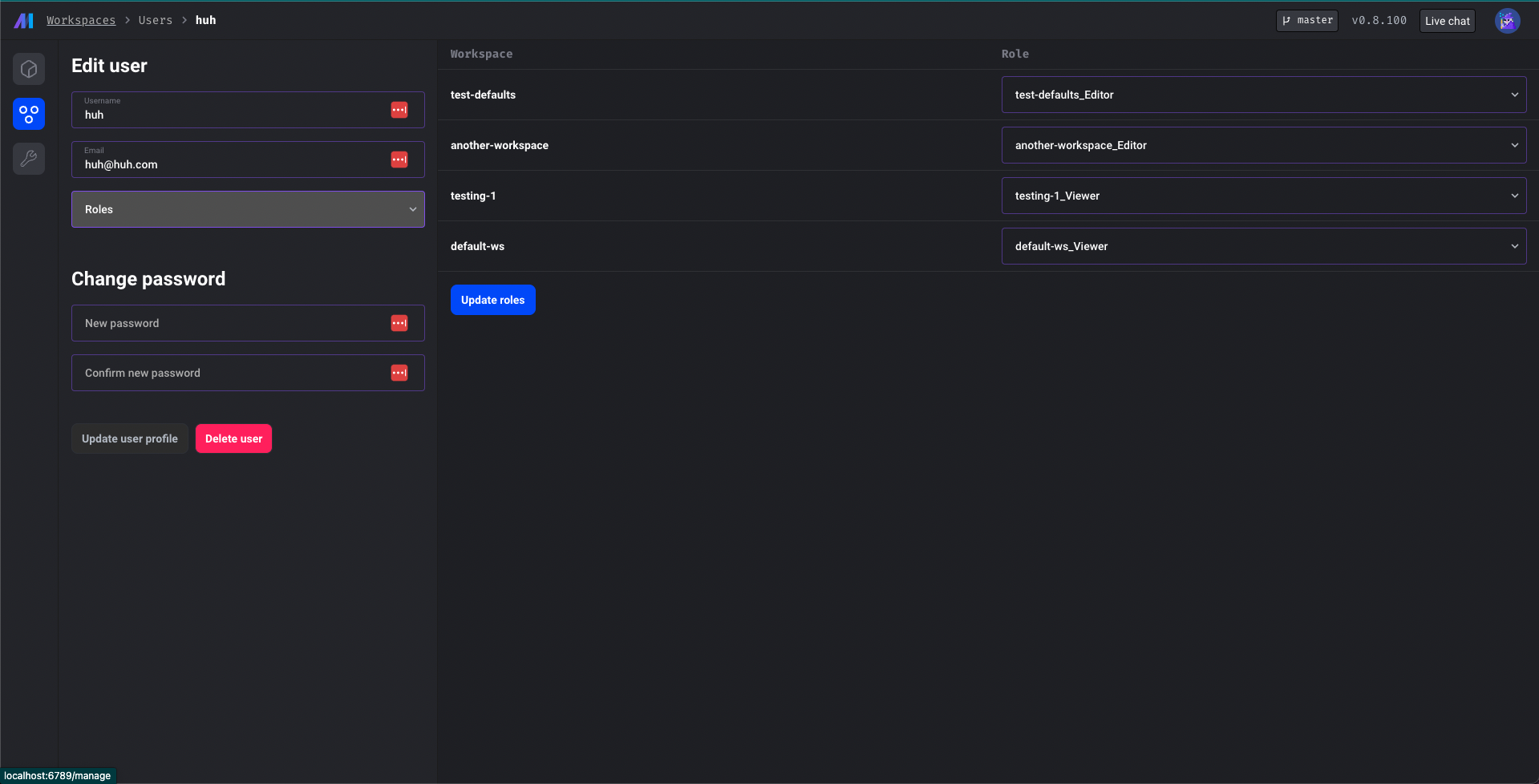
 If you click on a user or create a new user, you should see all your workspaces and the role that the
user has for each workspace. If you want to give a user global permissions, then you can add a global role
on the left hand side. Otherwise, you can set project level permissions on the right.
If you click on a user or create a new user, you should see all your workspaces and the role that the
user has for each workspace. If you want to give a user global permissions, then you can add a global role
on the left hand side. Otherwise, you can set project level permissions on the right.
 ## Settings
In the settings tab, you can adjust the project metadata for the main project. This tab will be mostly useful
if any of the initial settings are incorrect. In the future, we plan on allowing users to configure their
workspace metadata from the settings page.
## Settings
In the settings tab, you can adjust the project metadata for the main project. This tab will be mostly useful
if any of the initial settings are incorrect. In the future, we plan on allowing users to configure their
workspace metadata from the settings page.